NightInk · 밤글씨

A night diary only you can open

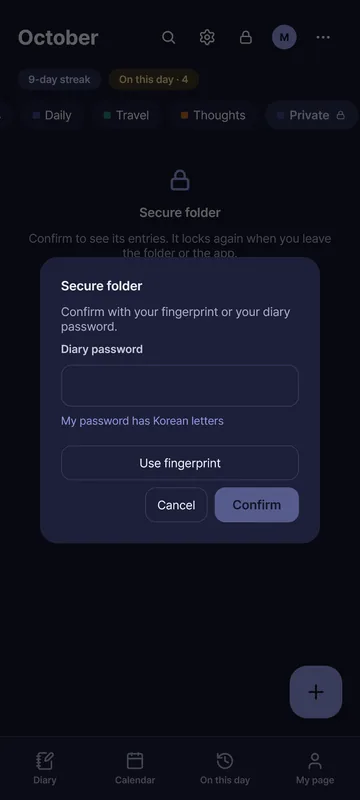
A diary locked on your device the moment you write. Only you, with your password, can open it.

Scan with your phone to install

Windows · Android , No ads · Core features free

Lock

Three promises we keep

Locked the moment you write, and nothing is collected.

  • Locked on your device

    The moment you save, your writing is encrypted on your device. It is never stored as plain text.

  • Not even we can read it

    Your password never comes to us. So we can’t read your diary either.

    If you lose both your password and your recovery key, no one can open your diary, not even us.

  • No ads, no tracking

    We don’t show ads. We don’t collect what you write or when you write it.

Second key

It’s okay when someone asks you to open it

Open with another key, and another diary opens.

With the second key, set up one more diary to show. Nothing on the screen reveals which key opened it.

The second key is free. We don’t even know who uses it.

Try it

Try it yourself

Get a feel for it before you install. These are practice screens.

One page for the night

When you finish, the diary closes under a navy cover.

Call features with / New

Type / at the start of a line. English and Korean names both work.

This is a practice screen. What you write is not saved or sent anywhere.

Type / at the start of a line. A few letters, like /photo, filter the list. Pick with ↑ and ↓ and run with Enter.


commands

Decorate

Change the border and paper, and add stickers.

This is a practice screen. What you write is not saved or sent anywhere.

Coffee on a rainy day

It rained today so I stayed in. I made hot coffee and read a book.

Paper
Border
Stickers (up to 30 per entry · 0/ 30)

The border shapes are a rough idea. They are not exactly the same as the app’s borders.

Draw New

Scribble with a pen, marker, highlighter or eraser.

This is a practice screen. What you write is not saved or sent anywhere.

Paper

Browse templates

Press one to preview its frame.

This is a practice screen. What you write is not saved or sent anywhere.

8 templates

  • Daily review Looking back on todayWhat happened, what was good, what wasn'tPreview

    the date you insert it goes here

    📝 What happened today


    🌟 The good part


    ☔ What could have gone better


    💌 A word for tomorrow's me


    Paper: Cream · A short version is available

  • Mind Three good thingsSmall ones count tooPreview

    🙏 Three things I'm thankful for today

    1.

    2.

    3.

    💛 A little more about one of them


    Paper: Cream · A short version is available

  • Mind How I feel nowA mood and why, in shortPreview

    💭 My mood, in one word

    One word is enough


    🔍 Why it might be so


    💌 What I'd like to tell myself now


    Paper: Dotted · A short version is available

  • Mind Sorting my thoughtsPut everything down, then pick onePreview

    💭 What's on my mind

    •

    •

    •

    🔍 What bothers me most


    ✅ The smallest thing I can do about it

    ☐

    Paper: Grid

  • Growth Looking back on the weekThe last few days at oncePreview

    the date you insert it goes here

    📅 What stayed with me this week


    🌟 What I did well


    💪 What was hard


    🌱 What I hope for the next few days


    Paper: Ruled · A short version is available

  • Mind Weather of my mindWhat kind of weather my mind is inPreview

    ⛅ The weather in my mind now

    Sunny or cloudy, as it is


    ☔ Why it is like this


    🍃 Where the wind came from


    🌈 The weather I hope for tomorrow


    Paper: Cream · A short version is available

  • Mind Thought recordWrite a hard moment down, step by stepPreview

    The situation that was hard


    The thought that came up


    The feeling and how strong it was


    Another way to see that thought


    The thought, put again


    Paper: Ruled

  • Mind One-line review of the dayA score and a line are enoughPreview

    the date you insert it goes here

    ⭐ Today's score

    ☆☆☆☆☆

    📝 A line about it


    🎬 One scene from today


    Paper: Kraft

These are the app’s template words as they are. Nothing you type is saved.

See all templates ›

How sync works

The server holds only ciphertext.

The server holds only ciphertext. Neither the server nor the developer can read your diary.

Features

A tour of the features

Things that are new in the latest update carry a badge.
  • It saves as you write No save button needed — a second after you stop, it saves itself, encrypted. It also saves what is left when you switch entries or lock.
  • 49 templates Swap between templates like “Look back on the day” even over what you wrote, preview them, pick a short version, and set a default for new entries.
  • 365 daily questions Turn it on and one question for the day appears above a new entry. Press “Answer” and it becomes a heading in your entry.
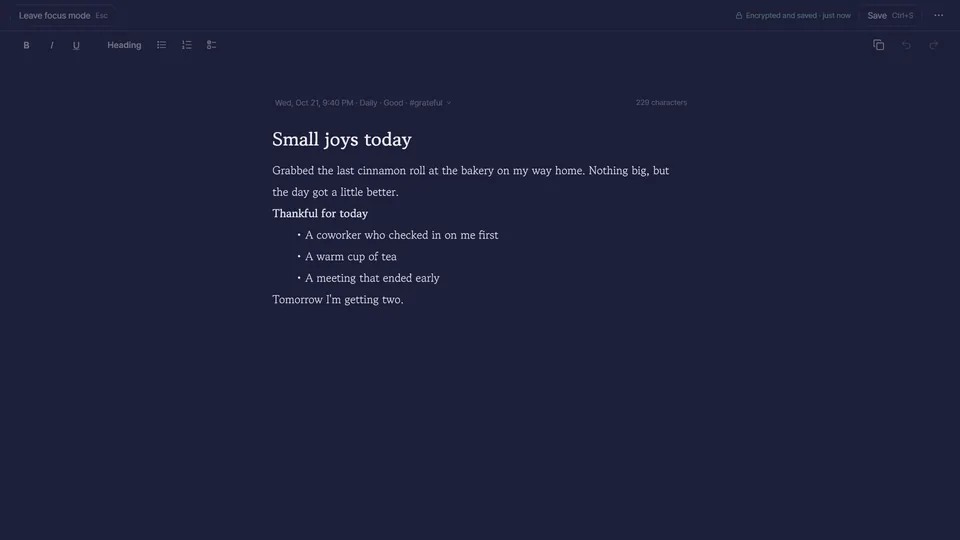
  • Focus mode The menu and list disappear and only the editor fills the screen, with the line you are writing kept in the middle.
  • Call features with slash commands NewType / at the start of a line for a list of commands. Korean names work too, and commands this device cannot do are not listed.
  • Code formatting NewWrite several lines in a fixed-width font as one block. Indentation stays as typed, and Markdown export turns it into a ``` block.
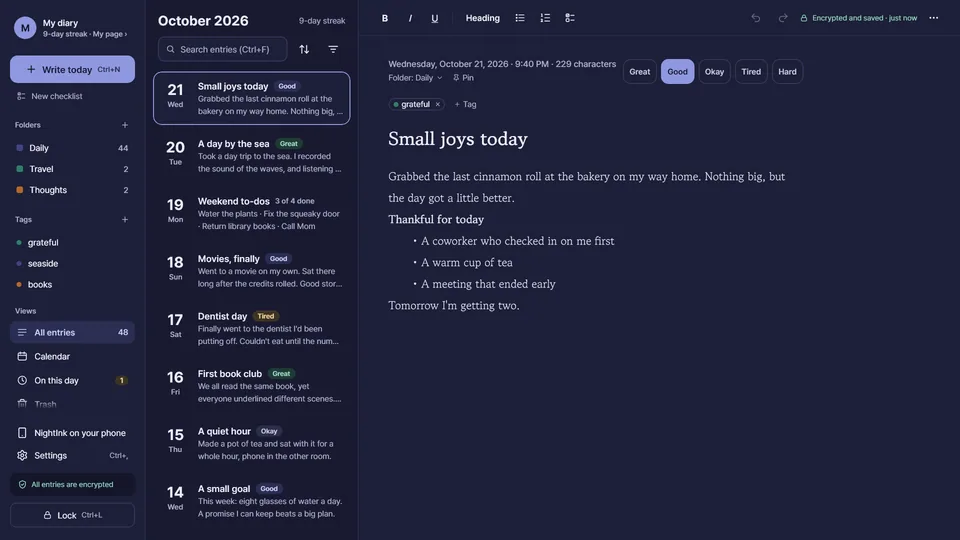
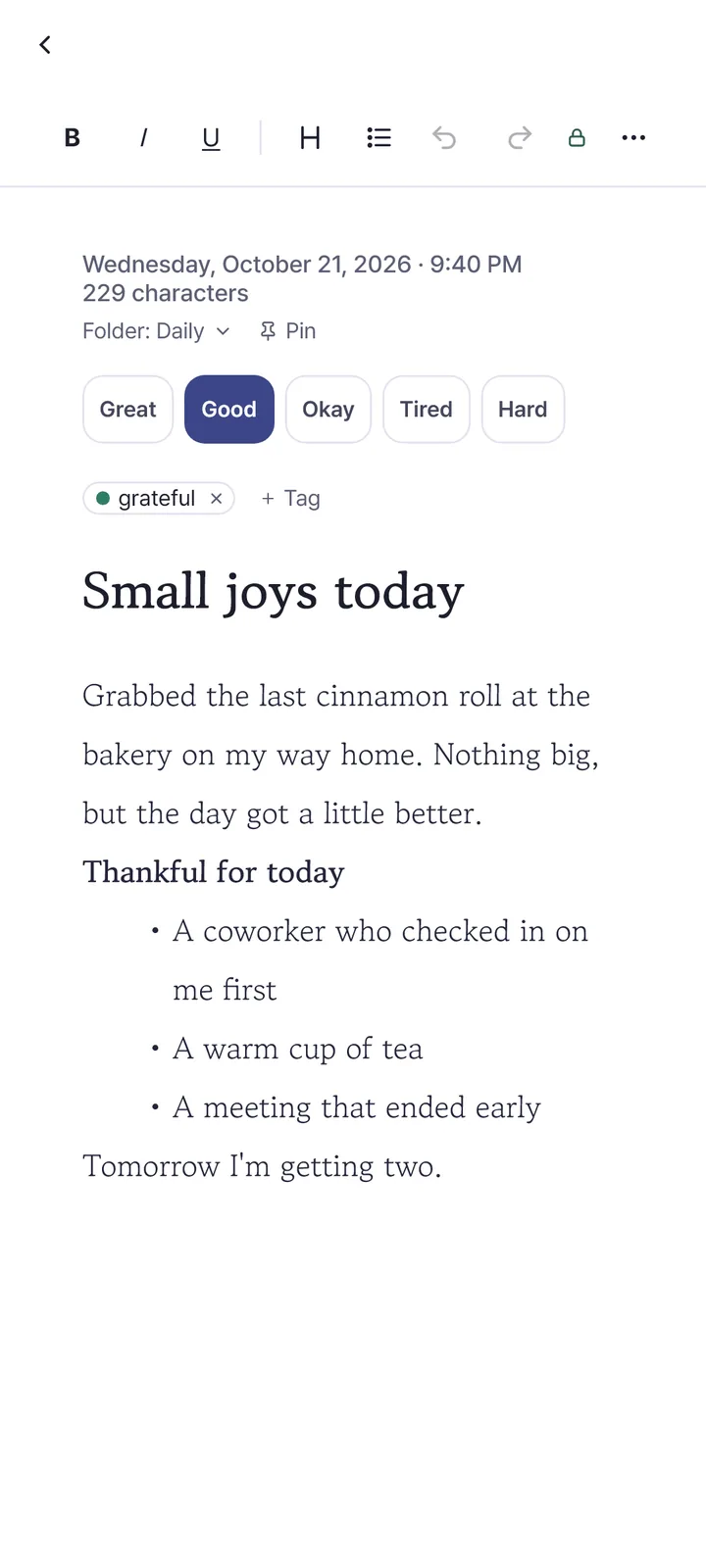
The NightInk writing screen: a format bar on top, date, folder and mood chips, and a body with a title and a bulleted list
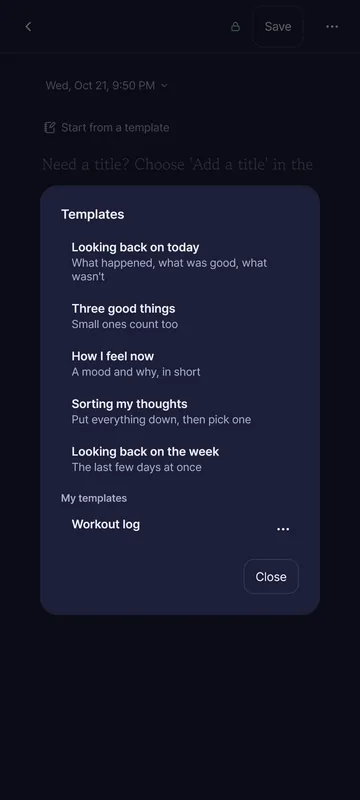
The template picker, listing templates such as “Look back on the day” with a one-line description each
  • 12 borders, 5 papers and stickers Pick a border and paper per entry and it applies at once. Stickers (emoji and decorative lines) go in as text at the cursor, up to 30 per entry.
  • Decorated templates Templates marked “border and paper too” bring a matching border and paper along. A decoration you chose yourself is never overwritten.
  • 4 themes and dark mode Change the app’s colors with a theme, and write on a dark screen at night.
A decorated entry with a border and ruled paper
App screen shown in Korean.
The decorate sheet for choosing one of 12 borders, 5 papers and stickers
App screen shown in Korean.
  • Photos Up to 10 per entry. They are shrunk on your device, stripped of location and device info, and encrypted.
  • Voice memos and dictation Record sound into an entry (up to 5 per entry, 10 minutes each). The microphone is used only while you record. Dictation runs on your device and appears on Android 13 and later.
  • Drawings Draw with a finger, mouse or pen and put it in an entry like a photo.
  • A new drawing toolbar NewPick a pen, marker, highlighter or eraser and a color, change the thickness, zoom with two fingers (Ctrl+wheel on a PC) and choose white, black or grid paper.
  • Attach any file NewPut documents, archives and other files in an entry — up to 1 GB each and 10 per entry. They are encrypted on your device, and the app never opens or runs them.
  • Photos by month and copy words from a photo See photos from all entries gathered by month. On Android you can copy the words inside a photo; the photo and the words never leave your device.
The drawing screen: red, blue and green lines on grid paper, with a toolbar of pen sizes and colors below
App screen shown in Korean.
Two files attached to an entry, shown in a list with name and size
App screen shown in Korean.
  • The same diary on your phone and PC Sign in with the same email and both hold the same diary. It syncs right after saving and when another device changes. If two devices edit the same entry, nothing is overwritten — both versions are kept.
  • Not even the server can open it Your diary is encrypted on your device before it is uploaded. The server only holds ciphertext and keys locked with your password and recovery key, so we cannot read it either.
  • Bring your diary to a new device On the first screen of a new device, sign in with your email and enter your diary password once to receive your diary.
  • Only sync is a subscription Everything on your device is free. Sync is a plan; the first month is free for a Google account that subscribes for the first time, and you can cancel any time. Your diary on the device stays when a plan ends.
The account card on My page, with the synced status, security check and today’s quests
  • Import from another diary app Reads Day One, Daylio, Markdown and text files. The file is read only on this device and sent nowhere. Importing the same file again never doubles entries.
  • Import preview and undo NewBefore importing, the app shows what is new and what is already there, and nothing comes in until you press “Import”. Afterwards “Undo everything imported” removes just what that import brought in.
  • Import from Secret Note (비밀노트) NewNotes, folders, tags, checklists and pins come in from a Secret Note backup (.db) file. Photos, recordings and text color do not carry over.
  • Encrypted backup A backup file (.nightink) stays encrypted. A PC makes an automatic backup once a day when something changed and keeps the latest 7. It always works, with or without an account.
  • Export as Markdown, text, PDF or a bundle Choose the period, folder and tags. Exported files are not encrypted, so the app reminds you to keep them only where needed and delete them afterwards.
The import window for choosing Day One, Daylio or Markdown and text files
App screen shown in Korean.
The import preview, showing new entries, existing entries and folders that will merge before you press “Import”
App screen shown in Korean.
  • An ordinary window title and icon (Windows) A privacy setting. When on, the name on the taskbar and Alt+Tab, the window and tray icon and the reminder title change to an ordinary name and icon. It is off at first.
  • Keyboard shortcuts Ctrl+S save, F11 focus mode, Ctrl+\ hide or show the list, Ctrl+, settings, Ctrl+Shift+C copy everything, Ctrl+Shift+K password book.
  • Right-click menu and more shortcuts NewIn the list, Ctrl+A selects all, Delete moves to the trash and Ctrl+Z undoes it. A right-click menu and the mouse back and forward buttons (Alt+←/→) work too.
  • Unfolded foldables and tablets Pin the menu, list and entry as three panes, or hide the list to give the entry the whole screen.
Focus mode: the menu and list are gone and only the writing fills the middle of the screen
An unfolded foldable showing the entry list and an entry side by side
App screen shown in Korean.

See all features ›

Everywhere

On your work PC, on your phone before bed

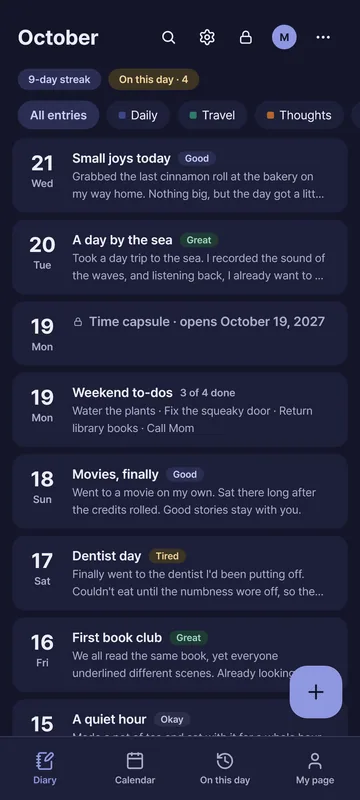
Write in the same diary app on Windows and Android. Sign in with the same email and it syncs between devices — encrypted all the way.

NightInk home screen on WindowsNightInk diary list on Android

Pricing

Plans

Everything on your device is free · Only sync is a subscription · First month free · Cancel anytime (your diary on the device stays)

PlanMonthlyYearly (2 months free)
Words only 50 MB₩1,500₩15,000
1 GBRecommended₩2,900₩29,000
10 GB₩5,900₩59,000
100 GB₩25,000₩250,000

Prices shown in KRW; Google Play shows your local price.

Subscribe in the Android app (Google Play). It works the same on your other devices signed in with the same email.

On disk

If someone opened the file

NightInk stores your diary only as ciphertext, even on your device.

A comparison of two files that store the same three diary entries. The typical notes app file shows the entries as they were written; the NightInk file has only unreadable ciphertext in the same place. The time each entry was written shows in both files.

Drag the handle or use the ←→ keys to compare. Information that isn’t diary content, like when you wrote, stays in NightInk files too — what stays

Maker

From the maker of Secret Note, downloaded 10,000+ times

The maker of the secret diary app Secret Note rebuilt it from scratch, with everything users shared over the years. A stronger lock, easier writing, and now on PC too.

Downloads
10K+
Google Play rating
4.6

Secret Note, as of October 2026

Coming from Secret Note? New

One Secret Note backup (.db) file brings over your notes, folders, tags and checklists. Preview before importing, and undo it in one step if you change your mind.

Questions

Frequently asked questions

The three we hear most.

What if I forget my password?

You can set a new password with the recovery key you got during setup. If you lose both your password and your recovery key, no one can open your diary. That’s NightInk’s promise.

What if I change phones?

If you use sync, sign in with your email on the first screen of the new device to load your diary. If you do not, create a backup file in My page › Backup and move it to your new device. The backup file stays encrypted too.

Is it really free?

Everything on your device is free; only syncing across devices is a subscription. The second key will stay free.

Can the developer read my diary?

No. Your diary is encrypted on your device before it is uploaded. Even with sync on, the server holds only ciphertext, so neither we nor anyone looking at the server can read it.

Can I move over from another diary app?

You can import Day One, Daylio, Markdown and text files and a Secret Note backup (.db). Files are read only on your device.

Do photos and files sync too?

On a words-only plan only the words sync; photos sync on plans of 1 GB and above. Photos and files stay on the device they were added on.

Find more answers in Help.

Get NightInk

Choose the store for your device.